

SKYMISSION · Tool guide
WebODM Boundary Calculator
Boundary Calculator creates a GeoJSON Polygon for WebODM’s boundary processing option. It defines the desired result extent without requiring you to create a flight mission.
Before you start
- Know the desired result area. The flown and photographed area should extend sufficiently beyond its edges.
How to use it
- Open WebODM Boundary Calculator and navigate to the required area on the map.
- Place at least three points. Drag the numbered points to refine the edge; use Undo or Clear to correct mistakes.
- Choose the outward margin. The default is 4 m; Exact uses the drawn boundary without an added margin.
- Review the polygon on the map and generated GeoJSON. Avoid self-intersecting boundaries.
- Open the relevant task in your WebODM installation and click “Edit”. In the processing options, expand “Bounds & Cropping”.
- Paste the complete copied code into “boundary (json)”, as shown in the screenshot. Review the intended margin and the other cropping options.
- Save the options and process the task with these settings. A completed task must be processed again for its outputs to change. Check the result afterwards.
- Save a copy yourself if needed. SkyMission does not save this polygon or the generated code.
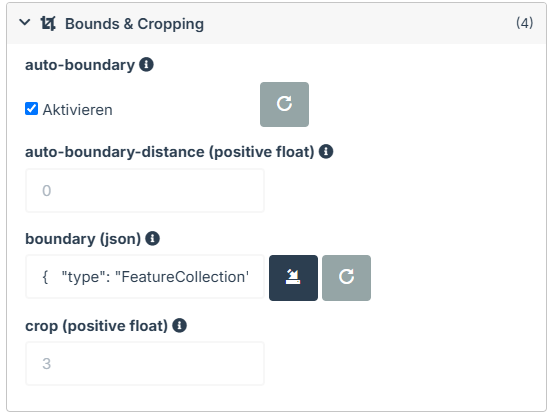
Edit → Bounds & Cropping → boundary (json). Paste the entire code.

The output is limited to the selected area.
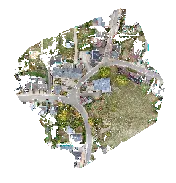
For comparison: output without the selected boundary.
What you get
The result is a GeoJSON Polygon for WebODM. It is not a DJI flight route or a substitute for capture planning.
What to check
A boundary cannot restore missing image coverage. Its margin is a processing setting, not a flight authorization; check the extent in the finished result.
Common questions
Copy disabled?
Place at least three valid points and review the calculator’s message.
Area gone after closing?
This is expected: nothing is saved. Copy and retain the code before leaving the page.